CASE STUDY
Ocicat AI Studio
AI Video Creation Platform
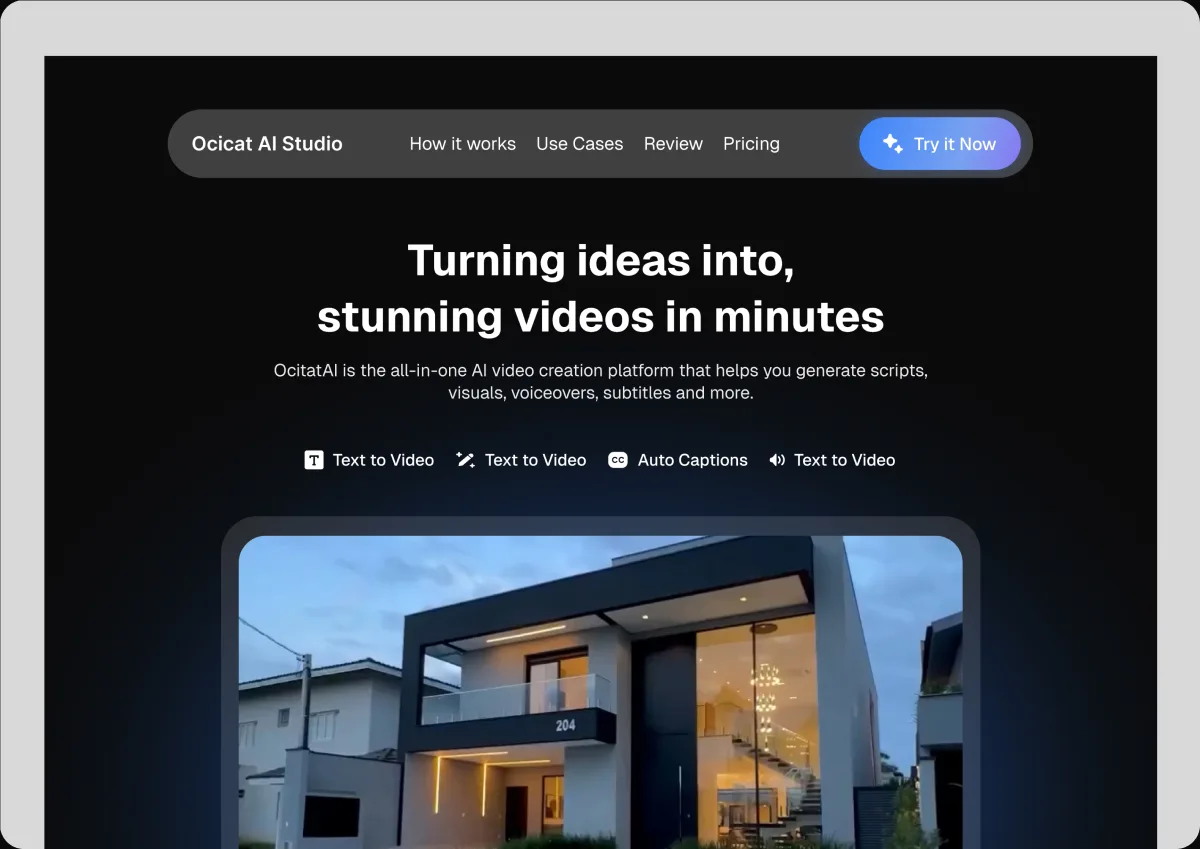
OcicatAI Studio is an AI-powered platform that helps creators and businesses turn text prompts into professional videos, simplifying scripting, scene generation, voiceovers, and editing in one workspace.
01 · AT A GLANCE
Project Overview
My contribution
I designed the dashboard, the creation flow, the editor and templates. The big call: how much the AI takes over, and how much stays a real editor.
02 . PROBLEM
Creating quality videos takes too much time, effort, and technical skill.
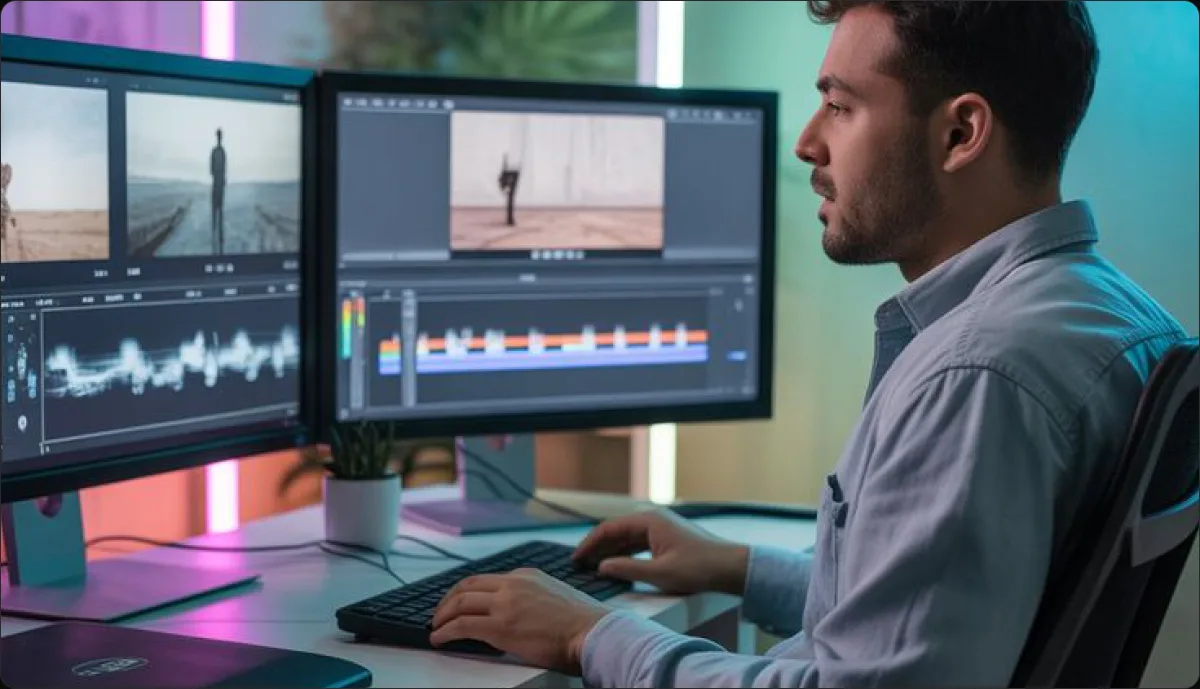
Creators and small businesses need to produce quality videos regularly, but the process often involves too many tools, technical skills, and hours of editing, making it difficult to turn ideas into finished content quickly.
2.1 . PROJECT GOAL
Making professional video creation faster and easier for everyone.
To simplify video creation by helping creators and businesses turn ideas into professional videos faster, using AI to handle scripting, visuals, voiceovers, and editing in one workspace.
03 . DESIGN APPROACH
My Design Process for Ocicat AI Studio
My approach focused on understanding why creators abandon AI video tools, then designing an editor where the AI assists instead of taking over.

01
Discover
Looked at how the category works: prompt in, video out, nothing to adjust when it is nearly right.

02
Define
Named the real problem as control, not quality, and set the editor as the centre of the product.

03
Design
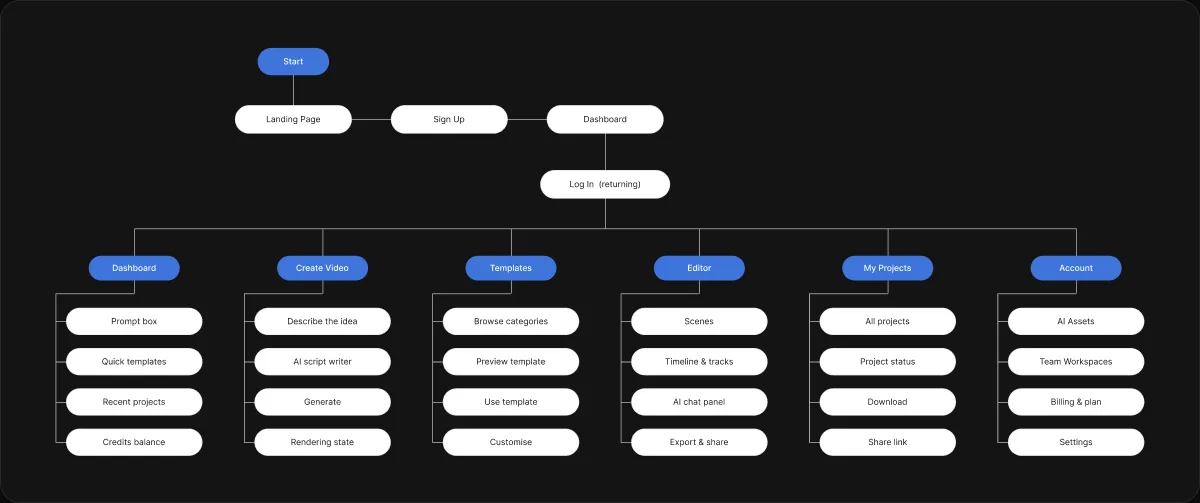
Mapped idea to export, then designed the dashboard, the creation flow, the editor and templates.

04
Refine
Pulled the interface back so generated frames stay the brightest thing on screen.
04 · KEY DECISION
The editor
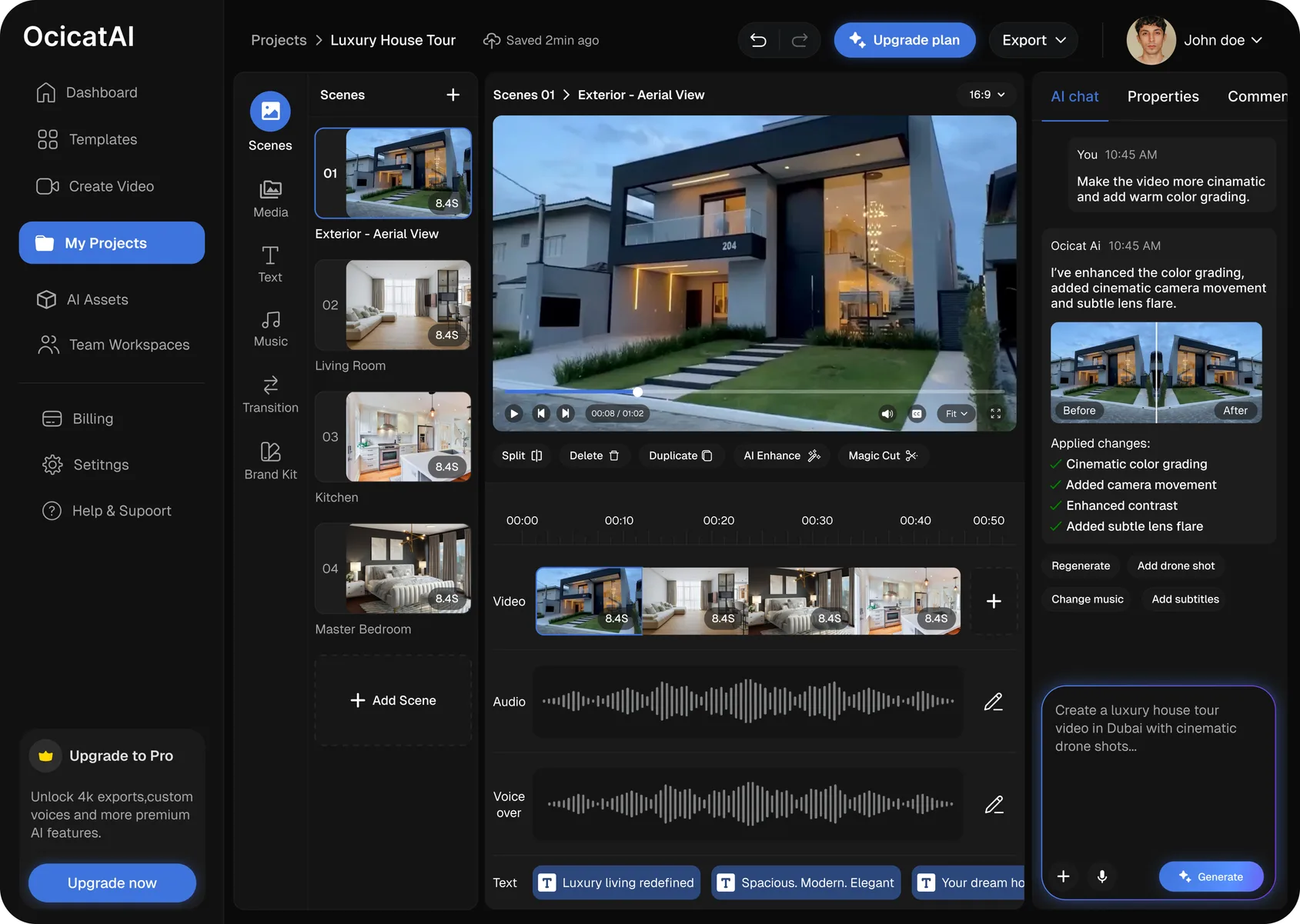
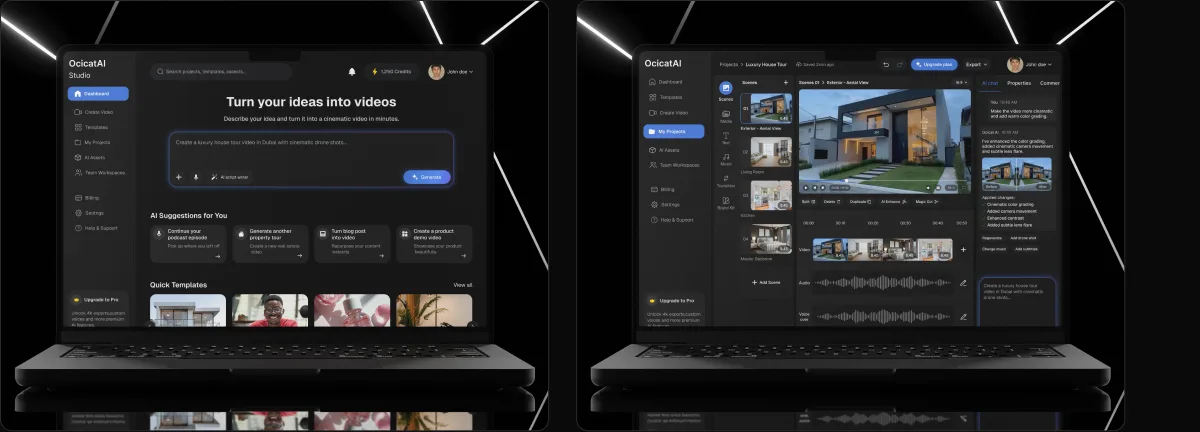
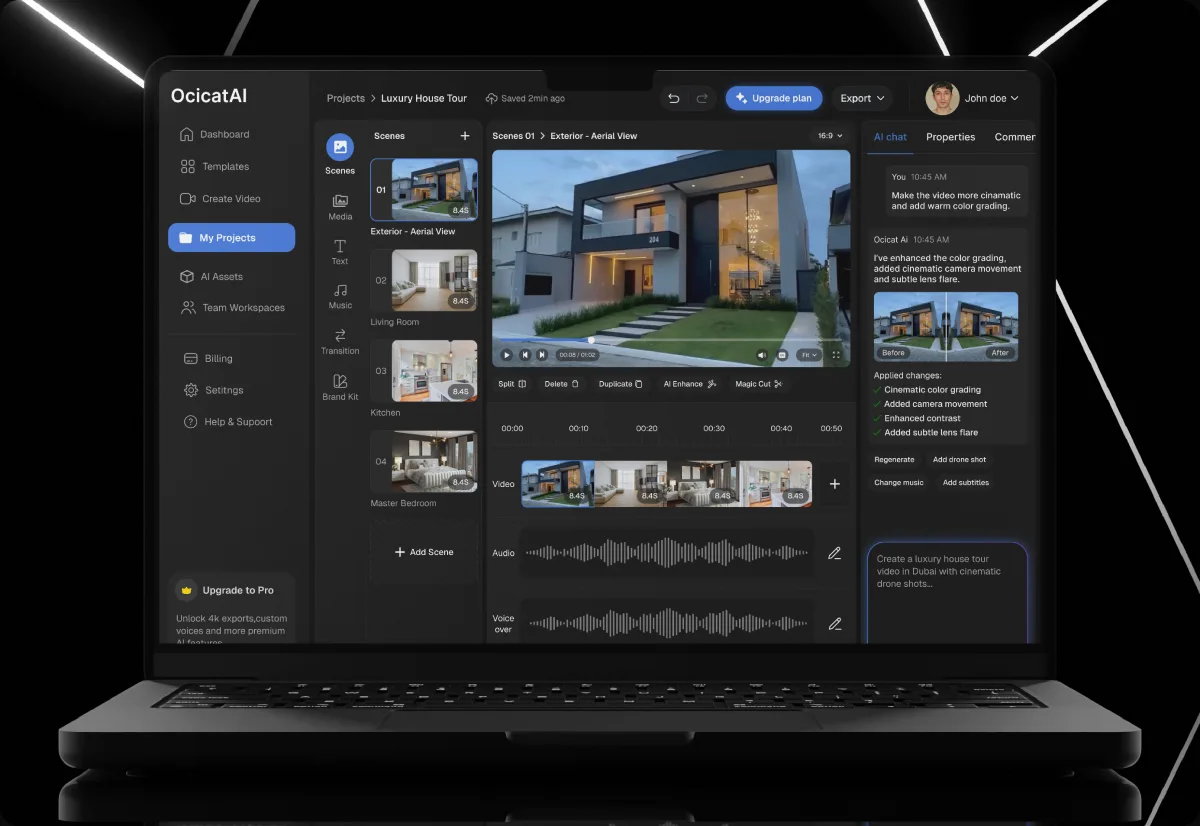
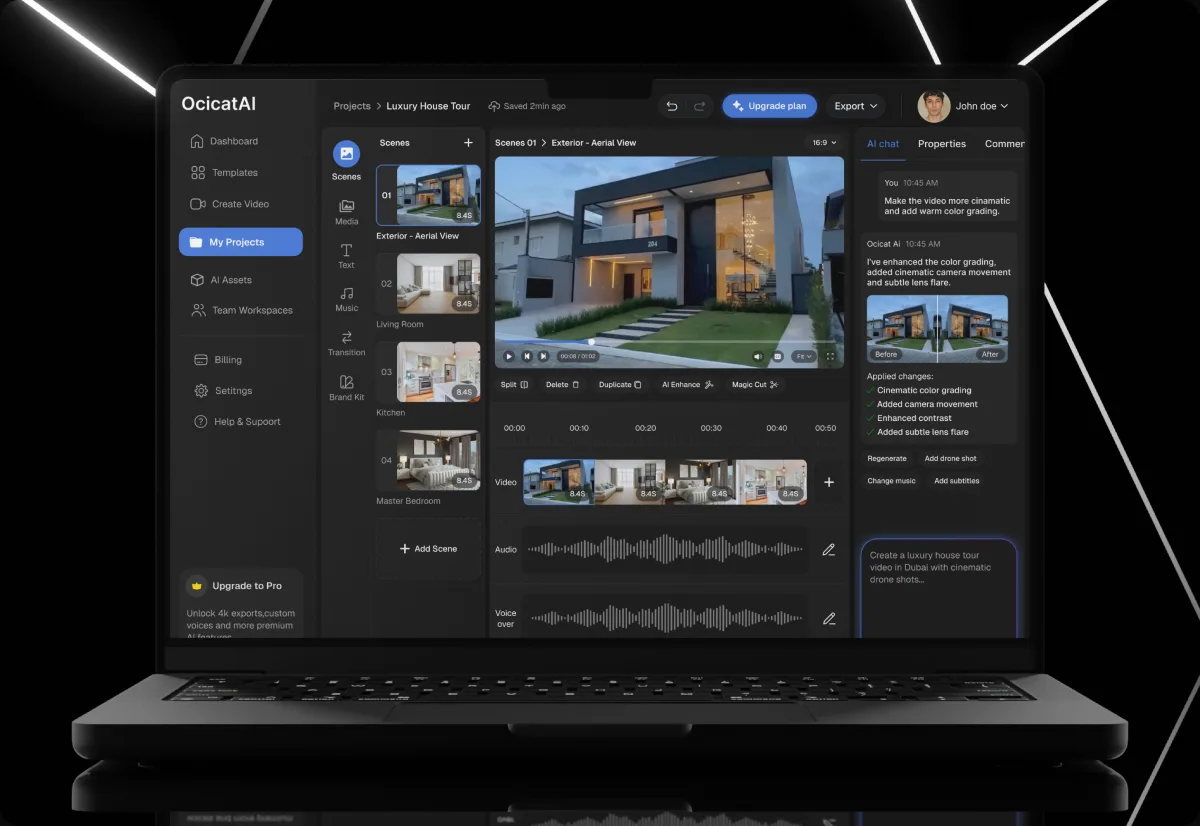
I put scenes, the timeline and separate tracks on one screen with the AI panel alongside, so a creator edits directly instead of re-prompting.
Dashboard
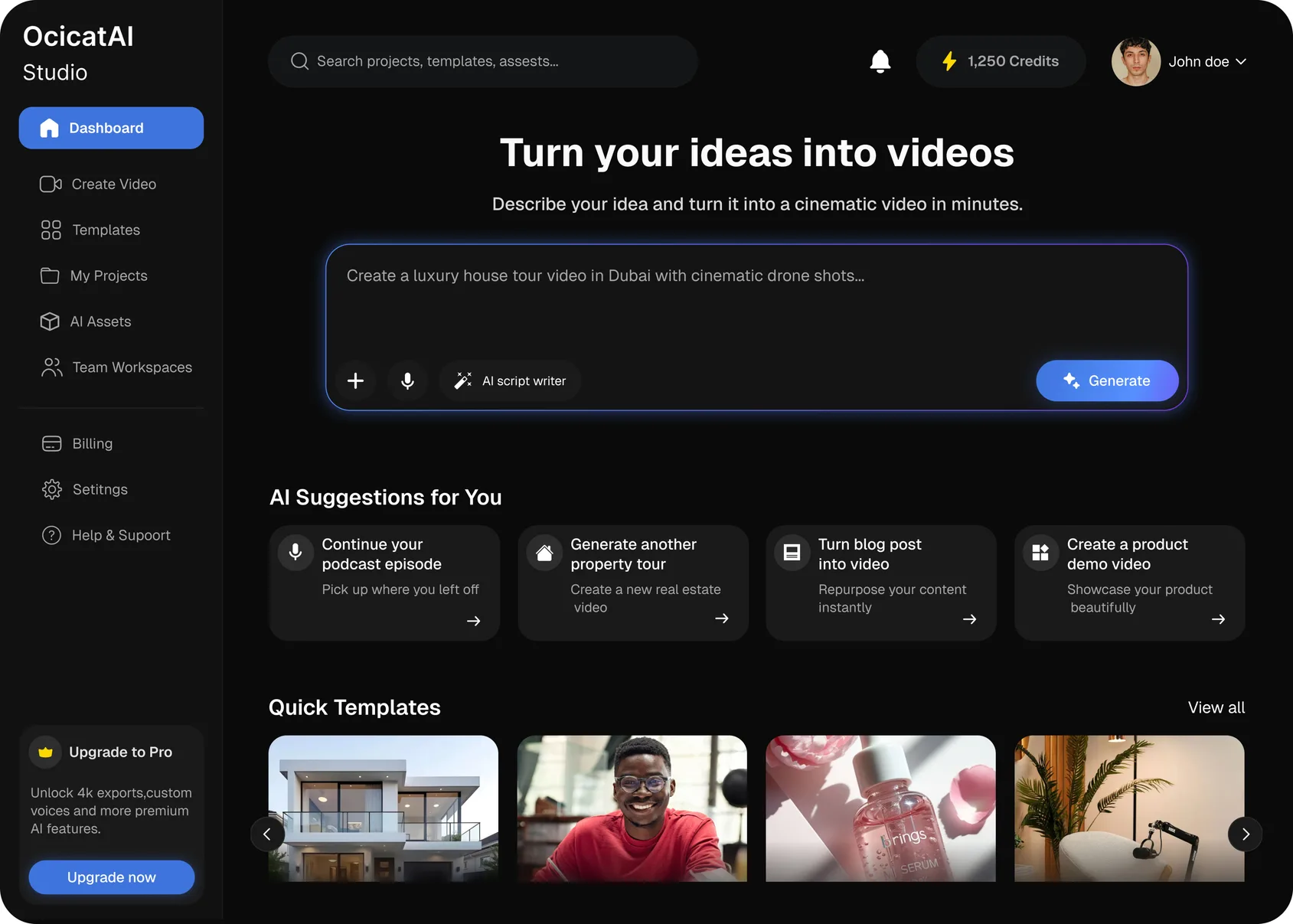
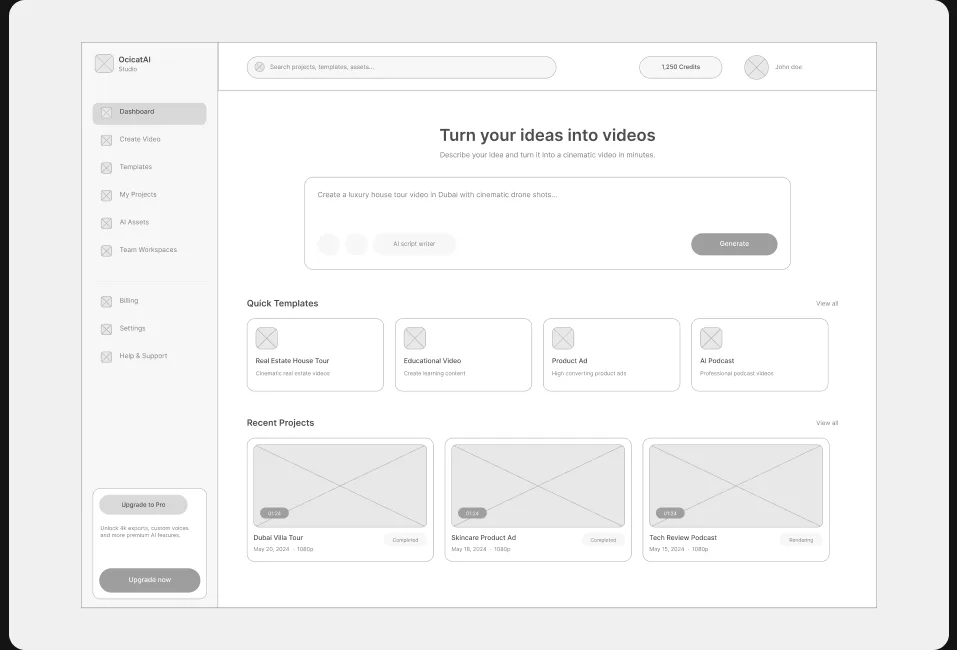
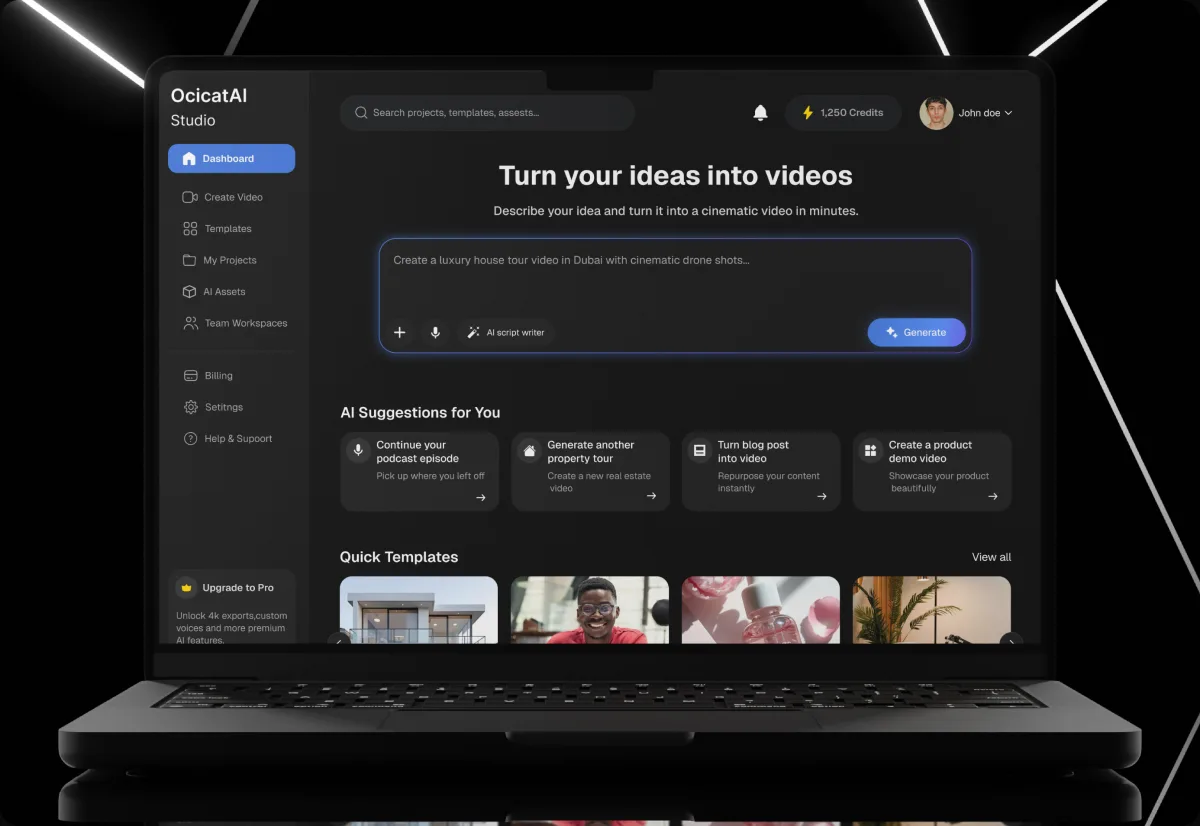
The dashboard opens on the prompt box, quick templates and recent projects, so a creator can start a video or return to one without hunting for it.
Template library
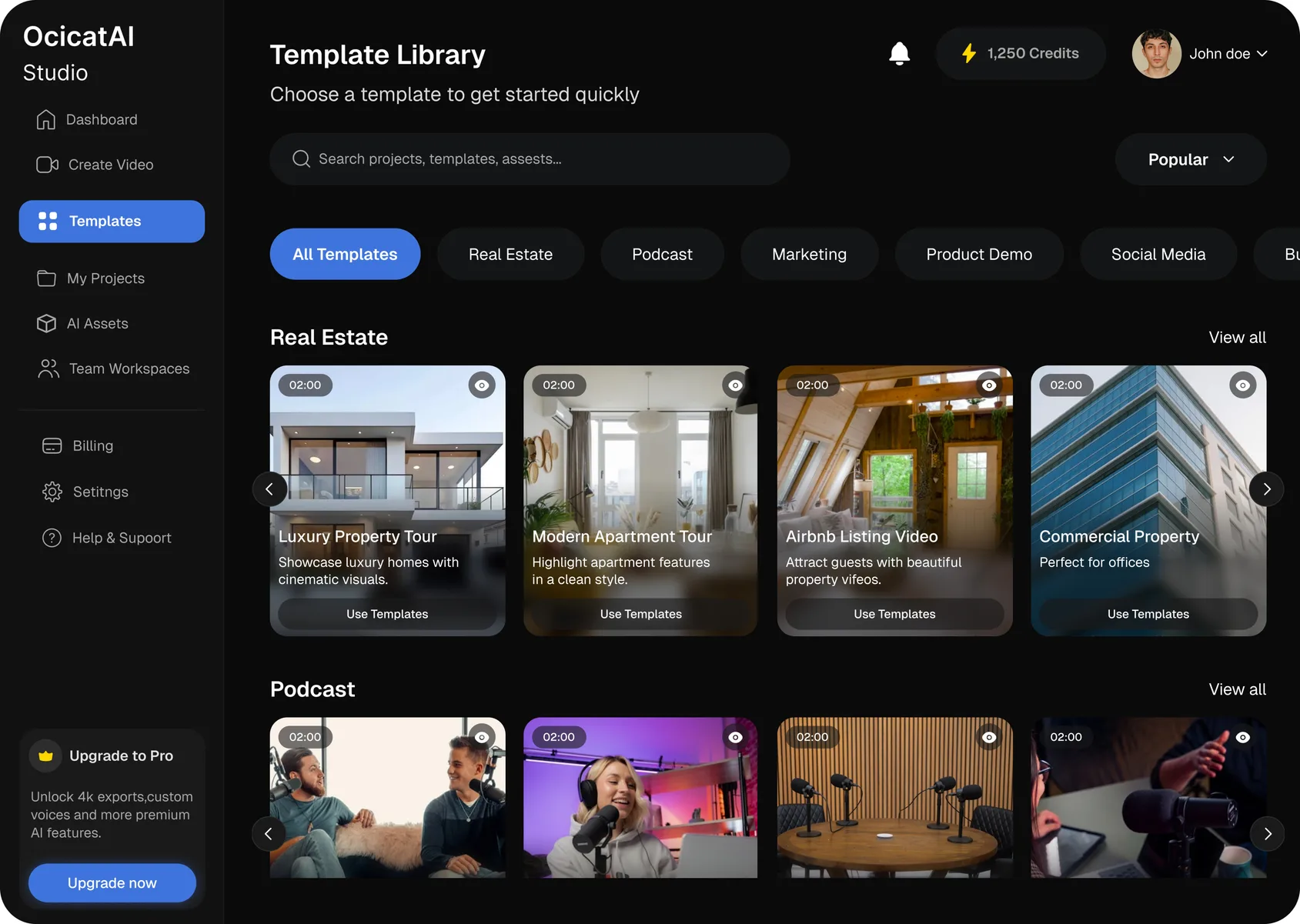
Templates are grouped by use case — real estate, podcast, product demo — so a creator begins from something close to the video they want.
08 · FINAL EXPERIENCE
The final experience.