CASE STUDY
Budget Buddy
Student Budget Tracker
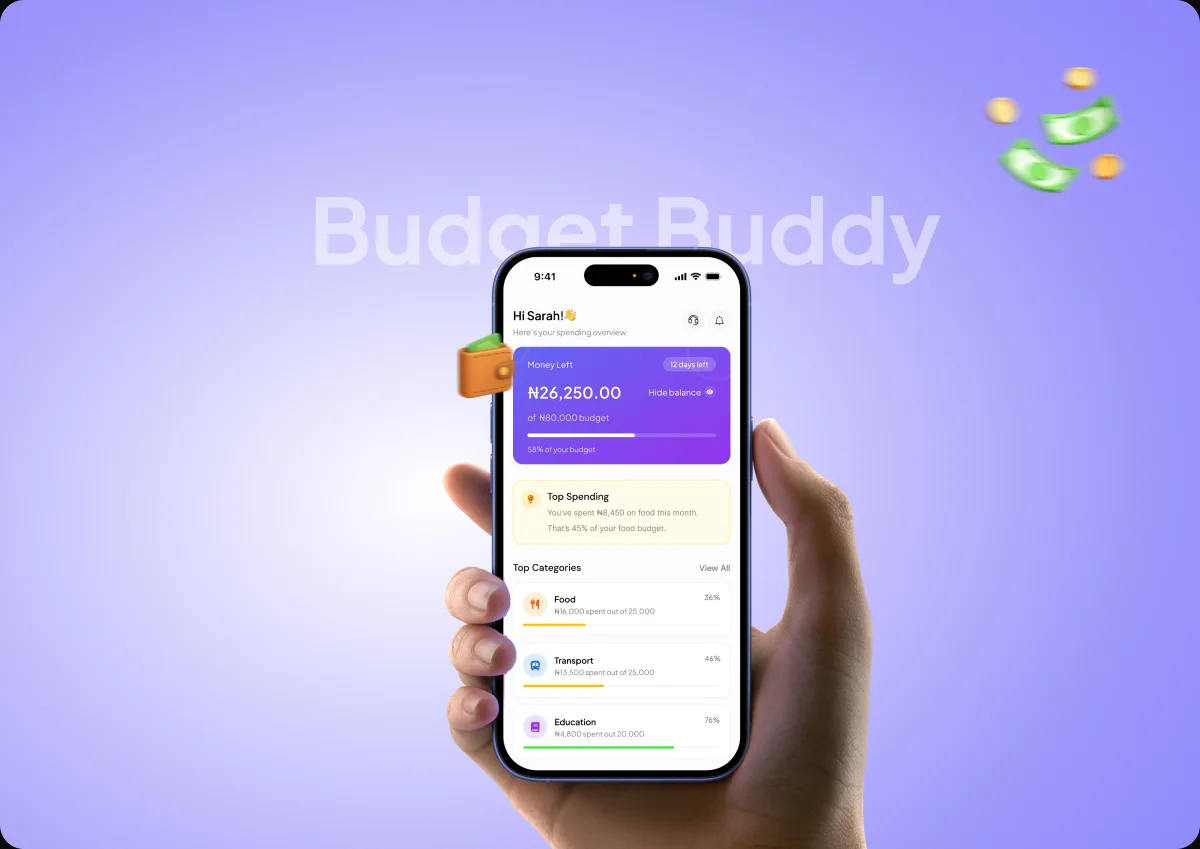
A student budgeting app with a wallet. Track spending, set budgets, hold money. Built from scratch.
01 · AT A GLANCE
Project Overview
My contribution
I designed all of it: the wallet, budgets, the summary and the withdraw flow. The key call was where to ask what the money is for.
02 . PROBLEM
Students don’t know where their money goes.
A student’s budgeting app only knows their balance, and only while the money sits in the app. The moment they withdraws to their bank or spends cash, it loses track of it.

2.1 . PROJECT GOAL
Catch the spending before the money leaves.
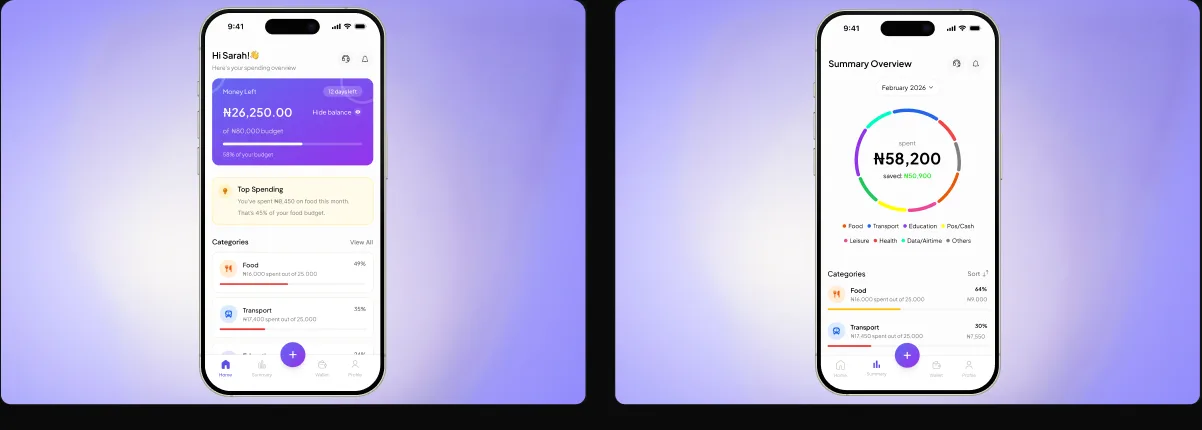
Designed the home dashboard and expense summary screens to help students see where their money goes, understand their spending habits, and keep track of their expenses over time.
03 . DESIGN APPROACH
My Design Process for Budget Buddy
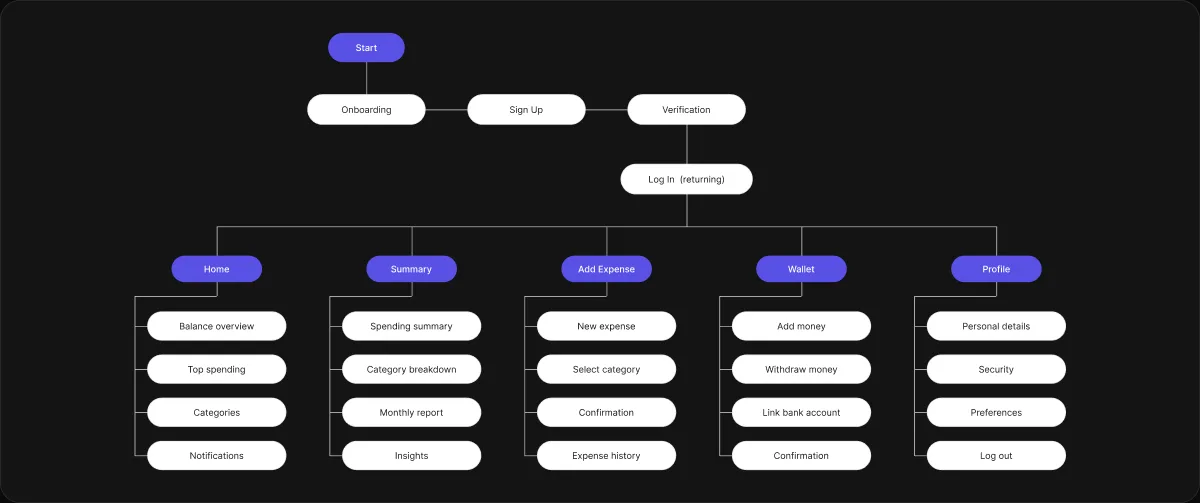
My approach focused on finding the exact moment tracking breaks, when money leaves the wallet, and designing the product around catching it there.

01
Discover
Looked at why student budgeting apps lose the picture the moment money leaves the app.

02
Define
Named the real gap as the withdraw moment, not the dashboard or the charts.

03
Design
Designed the wallet, budgets, the summary and a withdraw flow that asks what the money is for.

04
Refine
Cut the category step down so it reads as part of withdrawing rather than admin.
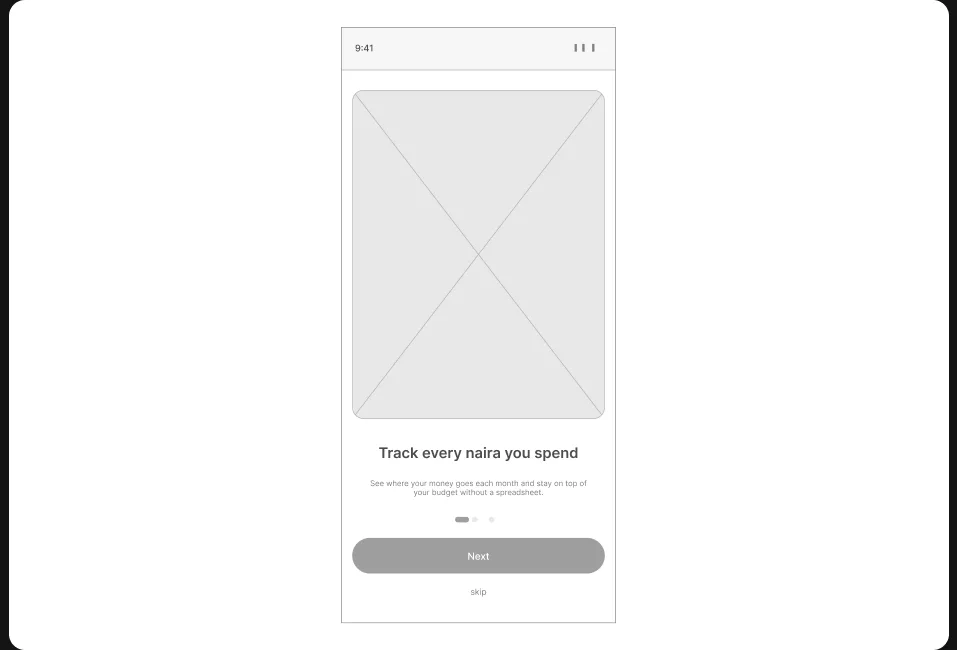
04 · KEY DECISION
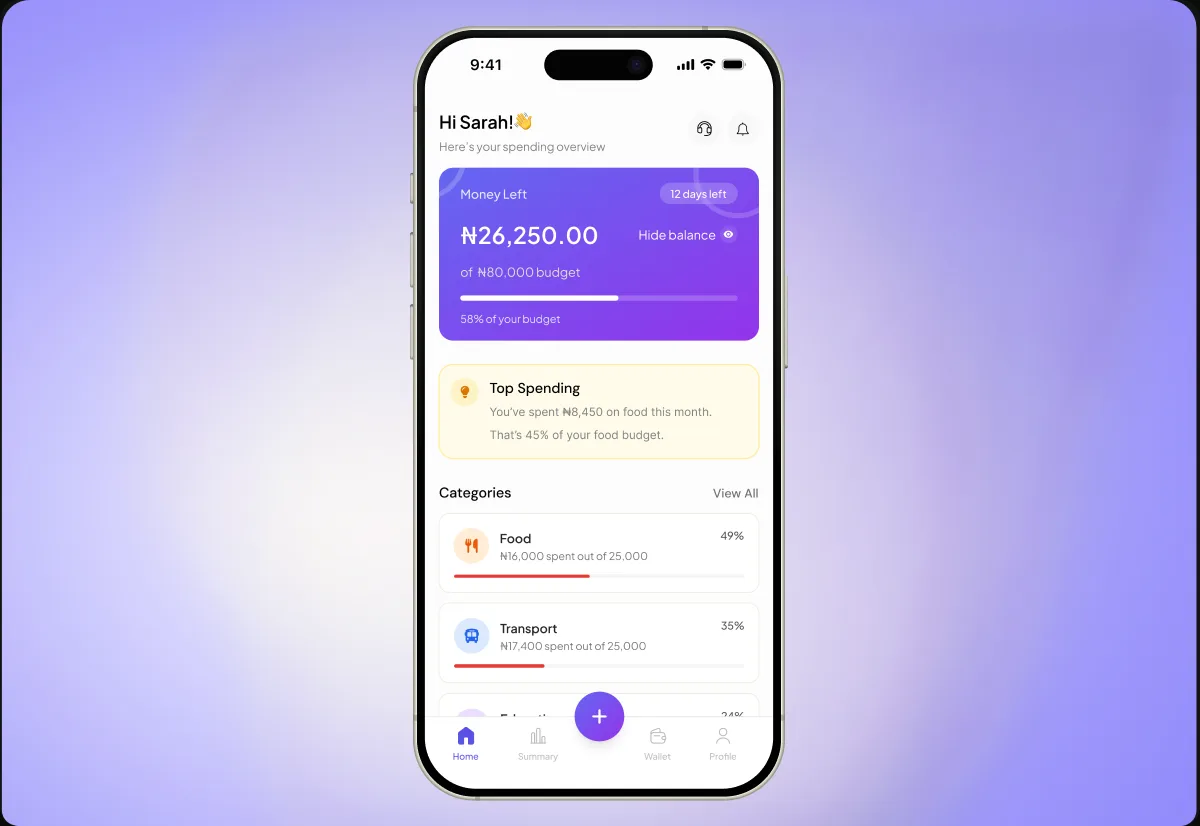
Home
Designed the home screen to help students stay in control of their finances by showing how much they have left, where their money goes, and how to avoid overspending.
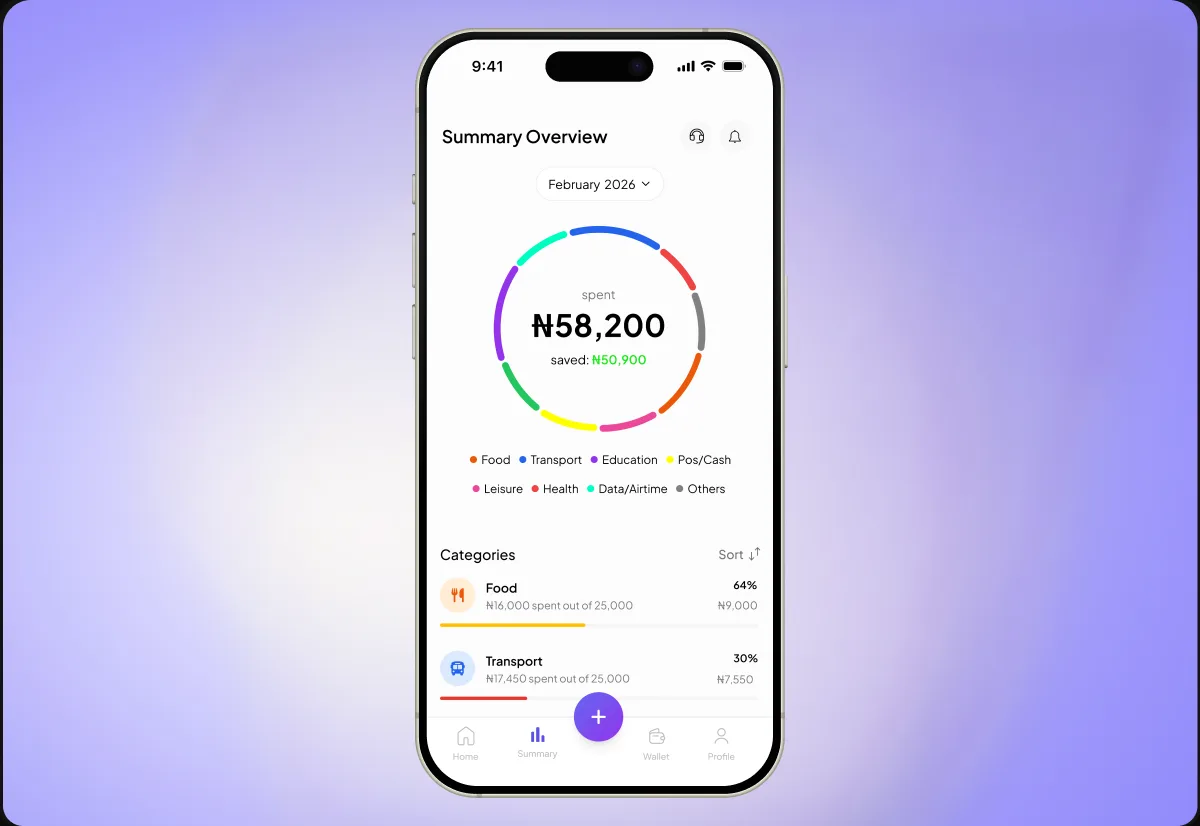
Summary
Designed the summary screen to help students see where their money goes, spot areas where they overspend, and make better decisions about saving and managing their budget.
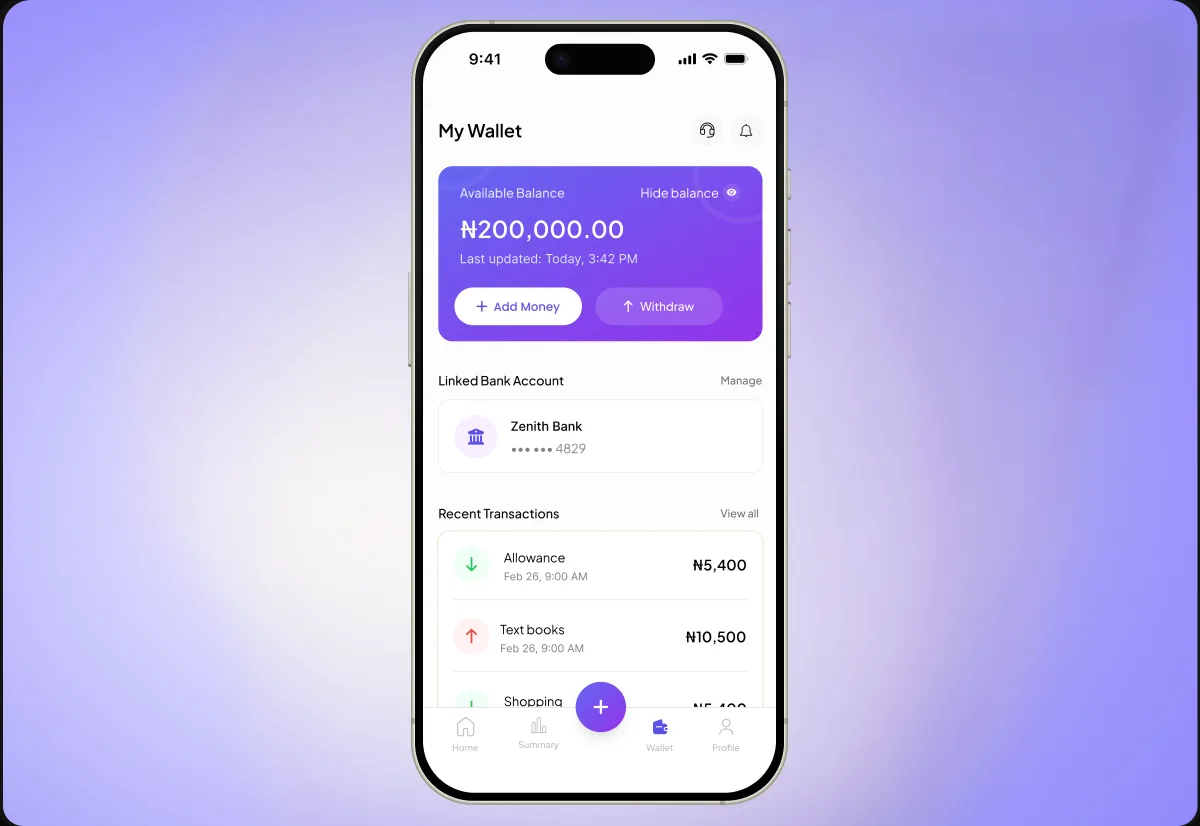
Wallet
Designed the wallet screen to give students better control over their money by helping them manage funds, link bank accounts, and track transactions in one place.
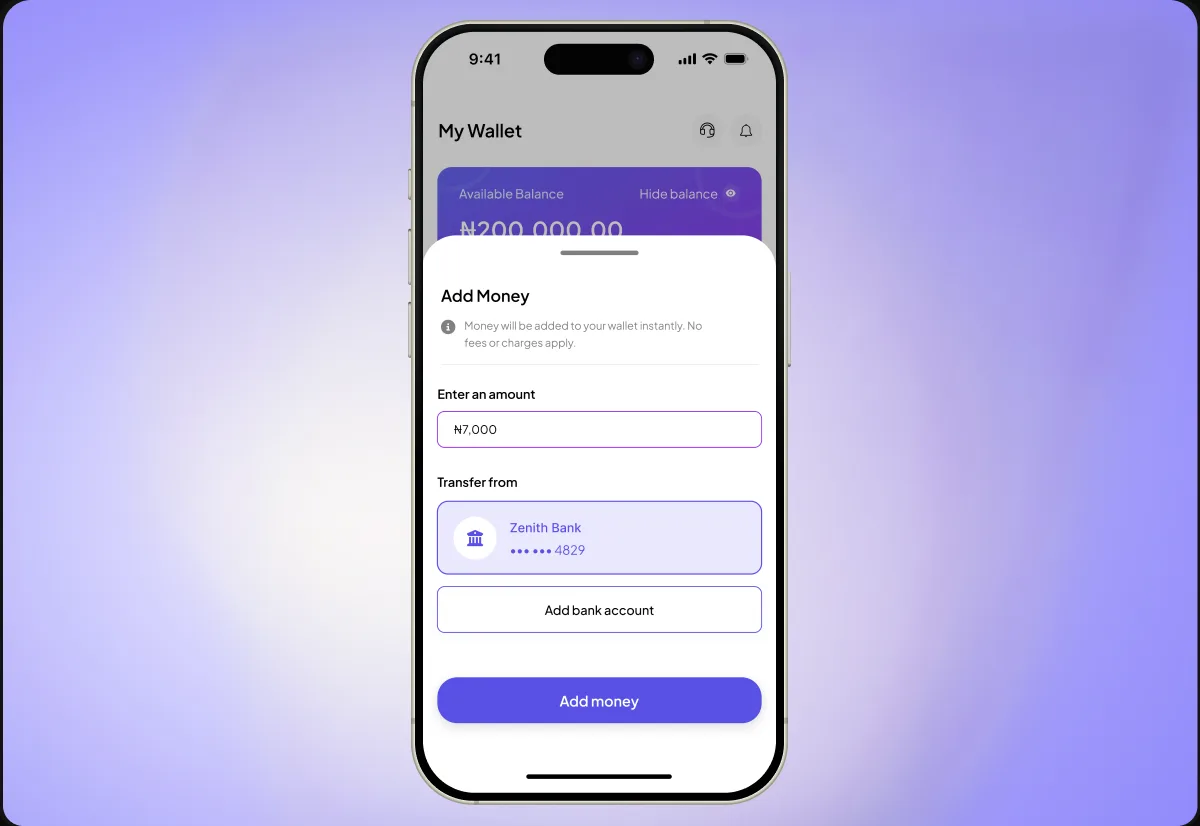
Add money
Designed the add money screen to help students fund their wallets easily and keep their available spending money organized and accounted for.
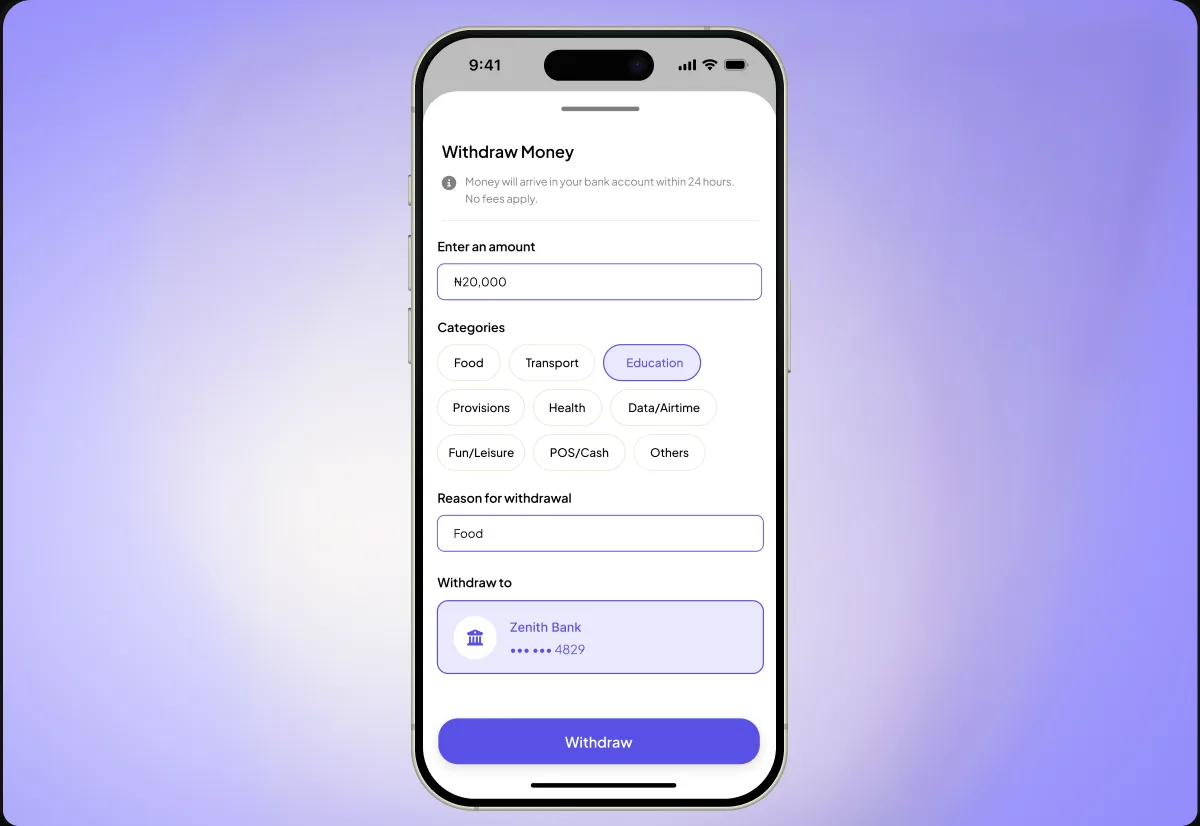
Withdrawal
Designed the withdrawal screen to help students account for money transferred out of their wallets, so they can see where it goes, avoid losing track of expenses, and stay within their budget.
08 · FINAL EXPERIENCE
The final experience.